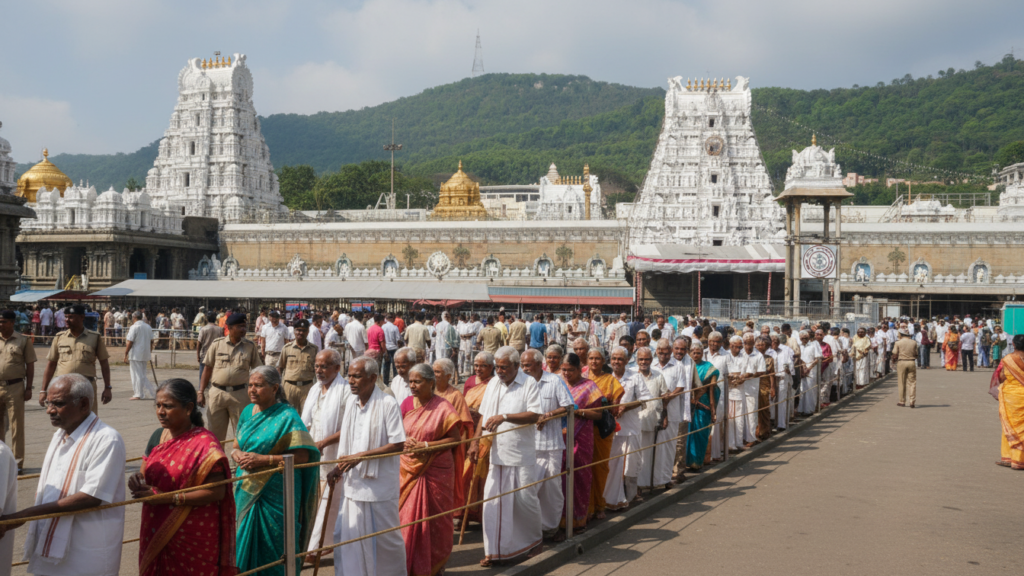
Finally, some wonderful news for our elderly devotees and differently-abled pilgrims! TTD has announced the special quota booking for March 2026, specifically designed to make your Tirumala darshan experience comfortable and hassle-free. If you or your loved ones are planning a visit next spring, here’s everything you need to know. The booking window opens on December 23, 2025, at 3:00 PM sharp—and yes, these slots fill up quickly, especially for March when the weather is perfect for pilgrimage. Why This Special Darshan Matters Let me tell you why this dedicated quota is such a blessing. The regular darshan queues at Tirumala can be physically demanding—long waiting times, standing for hours, navigating crowded corridors. For senior citizens above 65 and physically challenged devotees, this can turn a spiritual journey into an exhausting ordeal. The TTD senior citizen and physically challenged darshan quota changes this completely. You get: It’s TTD’s way of ensuring that age or physical limitations don’t come between devotees and Lord Venkateswara. Critical Booking Details Booking Opens: December 23, 2025Exact Time: 3:00 PMBooking For: March 2026 darshan datesOfficial Website: https://ttdevasthanams.ap.gov.inCost: Free (no booking charges) Who Can Book This Special Darshan? The eligibility is straightforward, but the documentation requirements are strict: Senior Citizens: Physically Challenged Devotees: Here’s something important: TTD is very particular about document verification. I’ve seen people turned away at the gates because they forgot their age proof or brought a photocopy instead of the original. Don’t let that be you. Step-by-Step Booking Guide Let me walk you through the entire process—it’s simpler than you think, but attention to detail matters. Step 1: Visit the Official TTD Website Go to https://ttdevasthanams.ap.gov.in a few days before December 23 to familiarize yourself with the interface. This isn’t the time for last-minute learning. Step 2: Login or Register If you’ve booked TTD services before, use your registered mobile number to log in. First-time users need to complete a one-time registration—do this well before December 23 to avoid rush-hour registration issues. Step 3: Select the Darshan Category Look for “Senior Citizen Darshan” or “Physically Challenged Darshan” option. Then select your preferred date in March 2026. Have backup dates ready—your first choice might already be booked. Step 4: Enter Devotee Details Fill in basic information: name (exactly as per ID proof), age, contact details, and ID proof number. Double-check everything—errors can invalidate your booking. Step 5: Upload Required Documents This is crucial! Upload clear, readable scans or photos of: Step 6: Review and Submit Carefully review all entered information. Once submitted, changes are difficult. There’s no payment required—this darshan quota is free. Step 7: Save Your Darshan Slip Download the confirmation slip immediately. Take a screenshot, save the PDF, and if possible, print a physical copy. Carry this along with original documents to Tirumala. Important Guidelines You Cannot Ignore Document Verification is Non-Negotiable: TTD staff will thoroughly verify your age proof or disability certificate at entry. Failure to produce original documents means your darshan gets cancelled on the spot—no exceptions, no second chances. March is Peak Season: March brings perfect weather and school holidays, making it one of the busiest months at Tirumala. Even the senior citizen quota gets fully booked within hours. Be online promptly at 3 PM on December 23. Beware of Fake Booking Sites: TTD has issued repeated warnings about fraudulent agents and fake booking websites. Only use the official TTD website. If someone offers to book for you “through contacts” for a fee, it’s a scam. Companion Rules: One companion is usually allowed with senior citizens or physically challenged devotees. Confirm this while booking and carry their ID proof as well. What to Do After Successful Booking Congratulations on securing your slot! Now here’s how to prepare for the actual darshan: Save Multiple Copies: Keep the darshan slip on your phone, email, and as a printout. I always recommend having at least two physical copies—one in your bag, one with your companion. Book Accommodation Early: March accommodation at Tirumala gets booked out fast. If you need TTD guest house rooms, book immediately after securing darshan. Private hotels fill up too, so don’t delay. Plan Your Journey: Whether you’re traveling by APSRTC bus, taxi, or private vehicle, plan your trip to reach Tirumala at least 3-4 hours before your darshan slot. March can have unpredictable traffic. Pack Smart: Carry original documents in a waterproof pouch, comfortable footwear, light clothing, any necessary medications, and a water bottle. The temple provides wheelchairs if needed. Tips for Elderly and Differently-Abled Pilgrims Request Wheelchair Assistance: TTD provides free wheelchair service. Inform the staff at the entry point if you need one. During peak hours, these can be in short supply, so request early. Take Your Time: Unlike regular darshan where there’s pressure to move quickly, the special quota gives you slightly more time. Don’t rush—the staff understands and accommodates. Stay Hydrated: Even in March, Tirumala can be warm. Carry water and drink regularly, especially if you’re on medications. Medical Preparedness: If you have any health conditions, carry all necessary medications and a list of emergency contacts. TTD has medical facilities, but having your own supplies is wise. Common Booking Mistakes to Avoid Missing the 3 PM Rush: Setting one alarm isn’t enough. Set multiple reminders—2:50 PM, 2:55 PM, 2:59 PM. The server gets heavy traffic right at 3 PM, and every second counts. Incomplete Document Upload: Blurry photos, cut-off certificates, or oversized files get rejected. Test your uploads beforehand if possible. Make sure all text in the document is clearly readable. Wrong ID Details: Entering your Aadhaar number incorrectly or misspelling your name creates verification mismatches later. Cross-check everything before submitting. Not Having Backup Dates: If you’re rigid about one specific date, you might miss out entirely. Choose 3-4 acceptable dates and be ready to pick any available slot. Forgetting to Download the Slip: The confirmation page won’t stay open forever. Download immediately after booking. Some people refresh or close the page and then can’t retrieve their booking. What If You Face Technical